Step-by-Step Guide
How to Use TabChop to Split Receipts Fast
Learn how to use TabChop to split receipts fairly: upload a photo, invite by link or code, claim items, confirm tip accuracy, and settle up fast.
Quick answer: To use TabChop, upload one receipt, invite the group, let people claim or split items, then settle from each person’s personal total. The rest of this guide shows that flow step by step.
If you have ever watched a dinner bill turn into 20 minutes of awkward math, this guide is for you. How to use TabChop is simple once you see the flow: upload one receipt, invite everyone, let people claim items, then settle up from personal totals.
This article shows how to use TabChop in real group situations, including guest participants, shared items, tip confirmation, and final payment checks.
Why learning how to use TabChop matters
Most bill-splitting problems are not about arithmetic. They are about trust and timing:
- Someone paid for the whole table and needs clean payback.
- People ordered different amounts, so equal split feels unfair.
- Friends leave before totals are finalized.
TabChop solves this by turning one paper receipt into a live, shared workflow where each person can see exactly what they owe.
How to use TabChop: step-by-step walkthrough
1. Set up host payment details first
Before starting a split, the host should set at least one payment method in profile:
- Venmo
- Cash App
- Zelle
This prevents dead-end flows later when participants are ready to pay.
2. Upload the receipt image
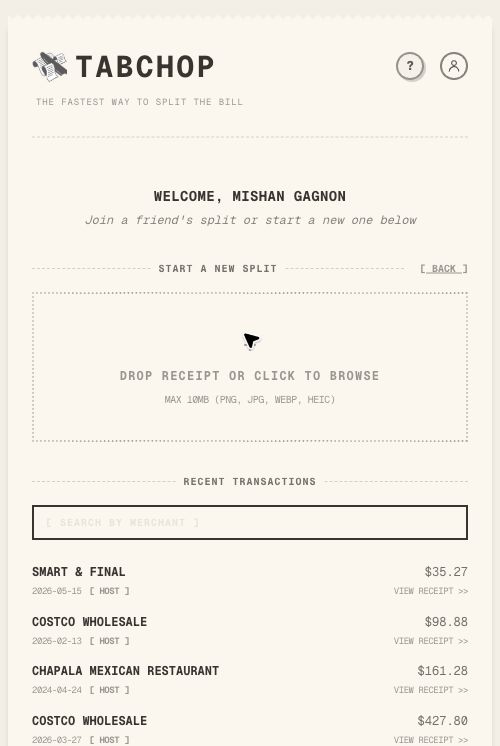
From the home screen:
- Tap Start Split
- Upload the receipt photo
- Wait for parsing to finish
TabChop supports common image formats, including HEIC conversion and compression when needed.
3. Invite everyone quickly
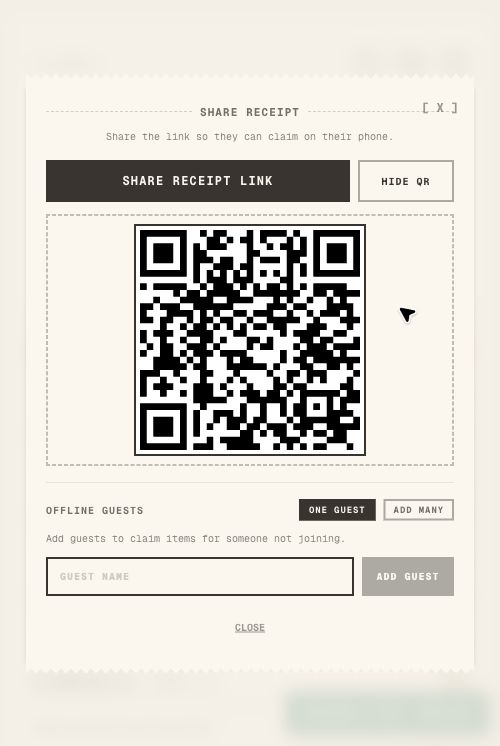
Open the share modal and invite participants using:
- Receipt link
- Temporary join code
- QR code
Join codes are intentionally short and expire, which helps keep the active session clean.
4. Claim and split line items
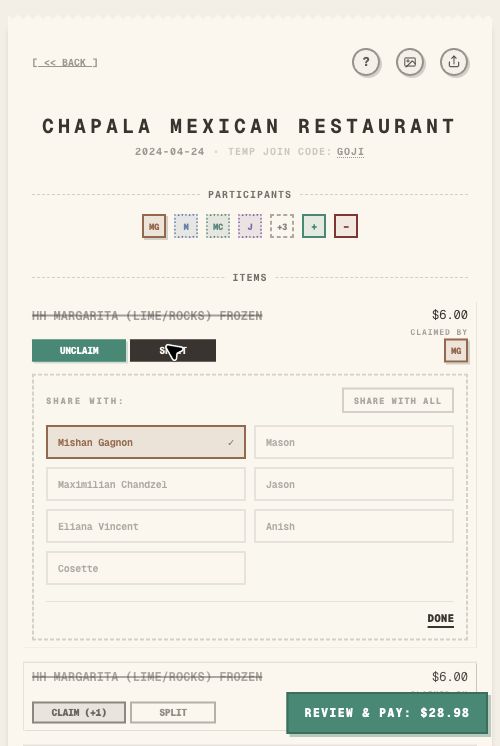
This is the core of how to use TabChop fairly:
- Tap Claim for items you ordered.
- Use Split on shared dishes, pitchers, or appetizers.
- Add offline guests when someone cannot join on their own device.
As claims update, everyone sees the receipt state in real time.
5. Review personal totals and settle up
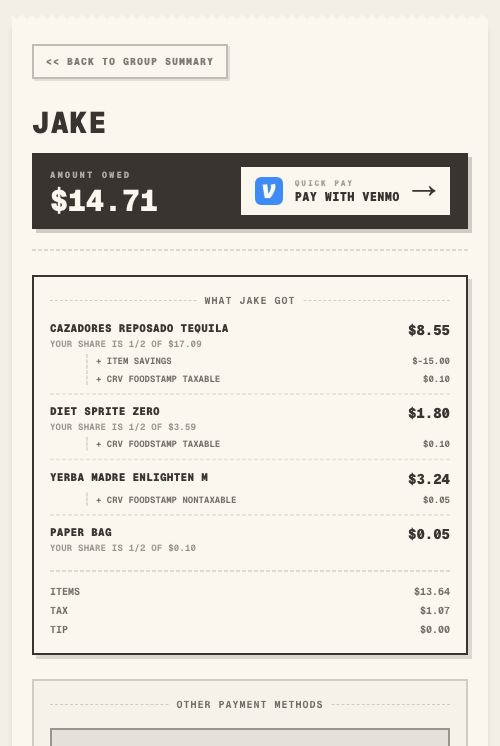
Each participant can open a personal receipt page showing:
- Claimed subtotal
- Tax share
- Tip share
- Discount/credit share (if any)
- Final total
From there, they can pay the host through the available payment methods.
Guest mode vs signed-in mode
TabChop supports both speed and full-account workflows:
- Guest mode
- Fast join flow
- Claim items
- View personal share
- Signed-in mode
- Create and host receipts
- Save payment preferences
- Keep split history
If you only need to join one split, guest mode is enough. If you host regularly, signed-in mode is better.
Tip confirmation and mismatch checks before payment
Two checks make this workflow safer:
- Tip confirmation: host confirms or adjusts the parsed tip.
- Price mismatch warning: if line items plus tax and tip do not equal receipt total, TabChop flags it for correction.
If you want accurate settlements, do not skip these.
Practical application: your 60-second host checklist
Use this quick runbook next time you split a dinner bill:
- Confirm your payment method in profile.
- Upload receipt and wait for parsing to complete.
- Share link/code immediately.
- Ask everyone to claim before people leave.
- Confirm tip and resolve any mismatch warning.
- Send participants to their personal receipt pages to settle up.
Common mistakes (and how to avoid them)
Waiting too long to invite
Invite right after parse completes so people can claim while they still remember what they ordered.
Skipping tip confirmation
Unconfirmed tip amounts create rework later. Confirm once, then ask people to pay.
Defaulting to equal split
Equal split is often the source of arguments. Use item-level claims for uneven orders.
Quick FAQ
Do all participants need an account?
No. Guests can join, claim items, and view their share without creating a full account.
Can I split one item across multiple people?
Yes. Use the split controls on that line item and assign multiple participants.
What happens if the parser gets a number wrong?
Hosts can edit key values, and they can also reparse when needed.
Can participants pay from their own view?
Yes. Personal receipt pages are built for per-person totals and payment handoff.
Conclusion and next step
If you remember one thing about how to use TabChop, it is this: invite early, claim by item, confirm tip, then settle from personal totals.
Key takeaways:
- Item-level claiming keeps splits fair.
- Tip and mismatch checks protect final accuracy.
- Personal receipts make settlement faster for everyone.
Ready to try it live? Start a split.
Want a product walkthrough first? Read the overview.