QR Splits
Split a Receipt With a QR Code
Why QR handoff is one of the fastest ways to get everyone into the same receipt split at the table.
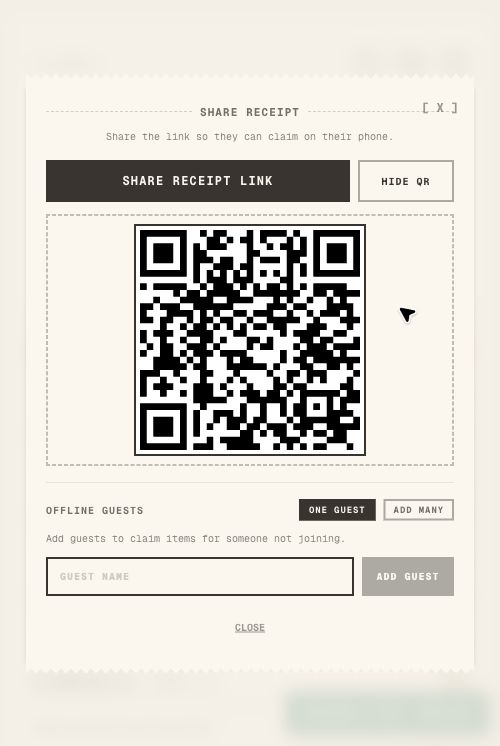
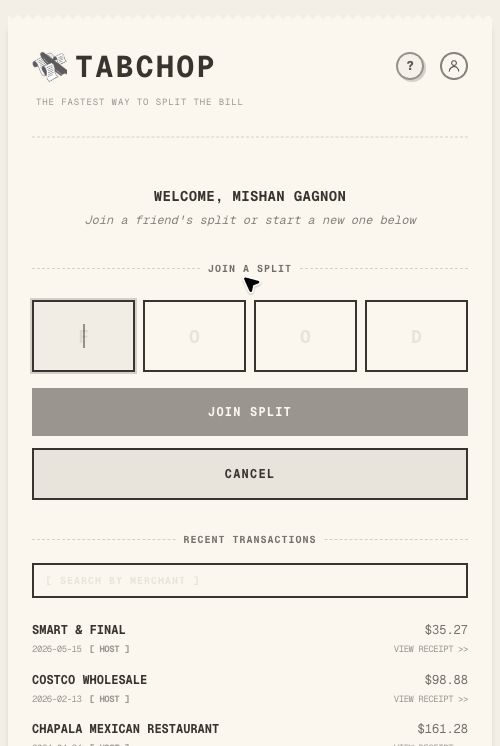
Quick answer: To split a receipt with a QR code, the QR should open the actual shared receipt, not just a blank payment screen. TabChop uses QR sharing to bring people into the item-claiming flow quickly.
If you are searching for split a receipt with a qr code, you are probably trying to avoid the same end-of-meal problem: one person paid, everyone ordered differently, and nobody wants to do awkward math in the group chat.
The fastest split is the one everyone can join. A QR code works especially well when it opens a browser flow immediately, because nobody has to trade speed for another download or signup decision.
Why this search matters
People do not look for bill splitting tools when everything is simple. They search when the check is uneven, the table is large, the receipt is long, or the host needs a clean way to collect payment.
TabChop is built for that specific moment. It starts with the actual receipt, then turns the split into a shared workflow instead of a private calculation.
A better workflow
Use this flow when the receipt arrives:
- Share a link for the group chat.
- Use QR when everyone is at the table.
- Add offline guests when someone cannot join.
- Keep each guest visible on the receipt.
- Move from the shared receipt into repayment without losing the payer’s selected method.
That keeps the group focused on visible choices instead of estimates. The host does not have to interpret the whole receipt alone, and participants can see why they owe what they owe.
Where TabChop fits
TabChop is strongest when the receipt has details that matter: item names, shared dishes, tax, tip, guests, and payment. A simple calculator can divide a total, but it cannot show who claimed the appetizer or which person still needs to pay.
The useful parts are connected:
- Receipt photo becomes structured rows.
- Rows become claimable items.
- Shared items get assigned to the right people.
- Each participant gets a personal total.
- Payment handoff helps the host get paid back.
Common mistakes
- Assuming everyone will create an account at dinner.
- Waiting too long to add offline guests.
- Letting one missing person block the split.
These mistakes are common because the group is usually moving fast. A receipt-based workflow slows down the right part: final review before payment, not manual math at the beginning.
Quick FAQ
Is this only for restaurants?
No. Restaurant checks are the obvious use case, but the same workflow helps with groceries, takeout, bar tabs, coffee runs, and trip receipts.
Do friends need to do math themselves?
No. The point is to let people claim items and review totals rather than calculate each share manually.
What makes TabChop different?
TabChop combines receipt scanning, item claiming, shared-item splitting, guest handling, and payment handoff in one flow.
Bottom line
The best split is the one people can understand quickly. QR gets people into the room; the rest of the flow should carry them all the way through settlement.
Key takeaways:
- Use the receipt as the source of truth.
- Assign items before collecting payment.
- Give the host a clear path to get paid back.