Fair Splits
How to Split a Restaurant Bill by Item
A practical guide to itemized bill splitting: claim personal orders, split shared dishes, and settle from exact totals.
Quick answer: To split a restaurant bill by item, assign each receipt line to the diner who had it and split shared dishes separately. TabChop turns that fair method into a fast live workflow.
Equal split is fast, but it is not always fair. If one person ordered a salad and someone else ordered cocktails, the better answer is to split a restaurant bill by item.
TabChop makes that workflow feel natural on a phone: each person claims what they ordered, shared items can be split, and the running total stays visible.
Why itemized bill splitting feels fairer
Most dinner groups do not order evenly. One person skips drinks, two people share fries, someone gets dessert, and the host is left trying to make the numbers feel reasonable.
Itemized splitting fixes the trust problem because every person can see the exact rows behind their total.
Step 1: Start from the receipt rows
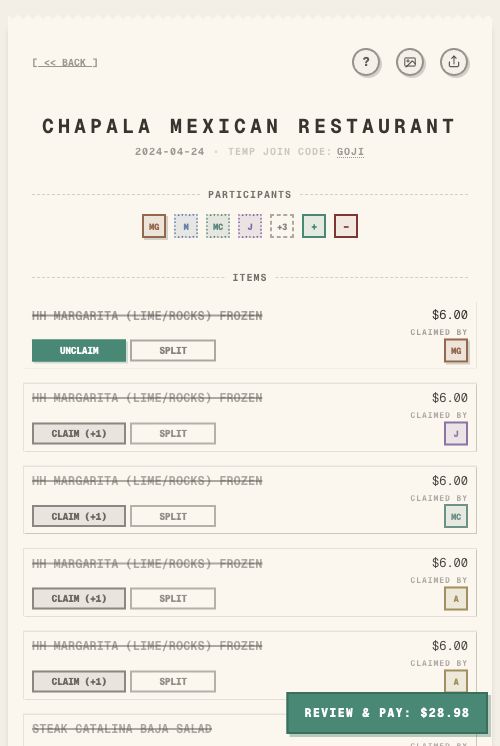
Before anyone pays, the receipt needs to become a shared list of items. In TabChop, scanned rows appear as line items with prices and claim controls.
That matters because the group can talk in plain terms:
- "I had the burger."
- "Maya and Theo shared the guac."
- "Put the fries on me."
- "Nobody claimed that drink yet."
The app keeps the math attached to those decisions.
Step 2: Claim your own items
Each person claims the rows they ordered. As soon as an item is assigned to you, your personal total updates.
This makes the receipt easier to audit. If your total looks wrong, you can scan the claimed rows instead of redoing the whole bill.
Step 3: Split shared dishes deliberately
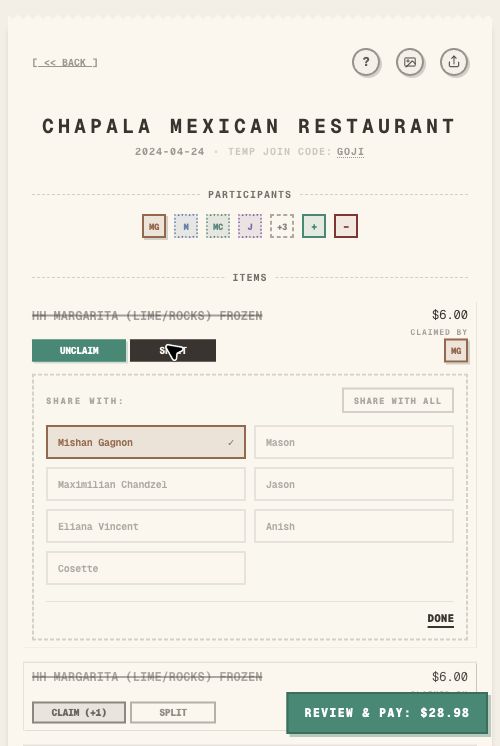
Shared food is where equal split logic often sneaks back in. TabChop keeps it explicit: open the share panel, choose the people who shared the item, and save it.
Use this for:
- Appetizers
- Pitchers or bottles
- Desserts
- Family-style dishes
- Grocery items shared by only part of the group
The item can belong to two people, three people, or everyone. The important part is that the assignment is visible.
Step 4: Check totals before payment
After items are claimed, the receipt still needs a final review. Look for:
- Unclaimed rows
- Shared items assigned to the wrong people
- Tax and tip included in the final total
- A personal total that feels obviously off
It is faster to fix those issues before anyone sends money.
Practical host script
When the receipt lands, try this:
- Scan the receipt.
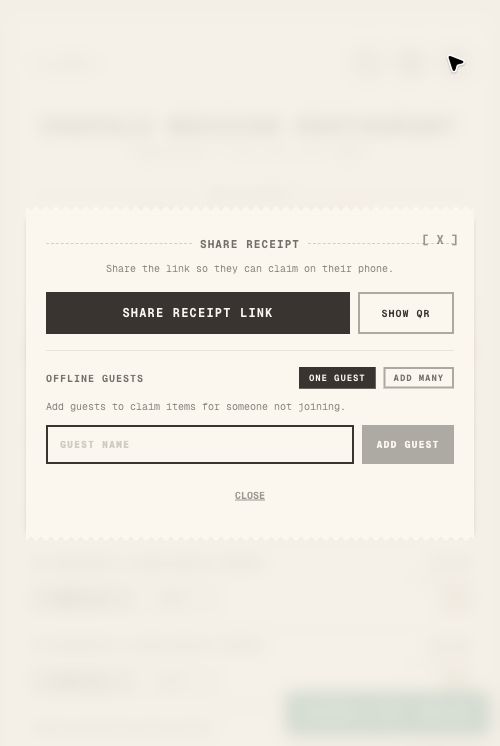
- Share the TabChop link with the table.
- Ask everyone to claim their own rows.
- Open shared dishes and assign the right people.
- Check the final totals together.
- Collect payment from each personal receipt.
That keeps the host out of the role of accountant.
Common mistakes
Splitting everything evenly by default
Equal split is fine when everyone agrees. It causes friction when people ordered very different amounts.
Forgetting small shared items
Sides, sauces, drinks, and desserts are easy to miss. If they are on the receipt, assign them before payment.
Waiting to check the total
Do not wait until after people pay to find a missing claim. Review the personal totals first.
Quick FAQ
What if two people shared one item?
Open the share controls for that row and assign both people. TabChop divides that item between them.
What if someone claims the wrong row?
They can unclaim it, or the host can correct assignments before everyone settles.
Is itemized splitting slower than equal split?
It can take a minute longer, but it prevents the awkward part: arguing about whether equal split is fair.
Make fairness visible
The best itemized split is not just accurate. It is understandable. Everyone should see how their total was built.
Key takeaways:
- Claim personal items first.
- Split shared rows explicitly.
- Review personal totals before collecting payment.